










What to Play After a Long Day: 9 Low-Stress Browser Games That Help You Unwind Fast
After a long day, most players do not want hard mode. They want something that starts quickly, feels clear, and does not punish every mistake. The problem is that relaxing means different things depending on your energy, your device, and how much time you have right now.
Game Photos From This Guide
Open these picks directly.






This guide is for that exact moment: low energy, short attention, and a real need to reset. If you only have 5 minutes, your best pick is usually a simple puzzle or one-tap game. If you have 10-15 minutes, choose a game with light progression and clean rounds. For broader options, open Categories, or go straight to Puzzle Games and Arcade Games.
What makes a browser game good for winding down?
- Fast start: You can play in seconds, not minutes.
- Low friction controls: One-thumb or simple tap or drag input.
- Clear short rounds: Easy to stop whenever you want.
- Readable feedback: You understand what happened without stress.
- No cognitive overload: Enough engagement without draining focus.
Quick decision (10-second rule)
- If you feel mentally tired: pick a light puzzle.
- If you need a mood lift: pick a quick arcade run.
- If your attention is fragmented: pick short-loop casual play.
Simple default: start with one calm puzzle, then switch to arcade only if you want more energy.
9 low-stress game picks you can open now
1) Emoji Sort
Why it helps: clean sorting loop, low pressure, easy to read.
Best when: you have 3-8 minutes and want a gentle focus reset.
Device fit: very good on mobile.
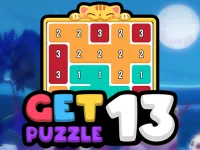
2) Get 13 Puzzle
Why it helps: short logic sessions with clear goals.
Best when: you want calm thinking, not reflex stress.
Device fit: mobile or desktop.
3) Arrow Away Puzzle
Why it helps: spatial puzzle rhythm without chaos.
Best when: you want one more level focus for 10 minutes.
Device fit: both, especially desktop for longer sessions.
4) Kitten Connections
Why it helps: cozy tone plus familiar matching mechanic.
Best when: your energy is low and you want minimal effort.
Device fit: mobile-friendly.
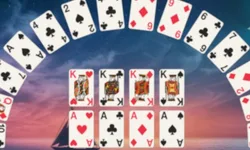
5) Crescent Solitaire
Why it helps: slower pace and predictable control flow.
Best when: you want a calmer, no-rush session.
Device fit: strong on desktop, still fine on mobile.
6) Shape Walls
Why it helps: simple visual objective and low cognitive load.
Best when: you need a short reset between tasks.
Device fit: excellent for one-handed phone play.
7) Click Energy
Why it helps: quick interactions, no heavy commitment.
Best when: your attention keeps getting interrupted.
Device fit: mobile check-ins and side-tab desktop play.
8) Grass Ranch
Why it helps: relaxed progression and low-pressure pacing.
Best when: you want to unwind for 10-15 minutes.
Device fit: both, especially casual phone sessions.
9) Downhill Ball
Why it helps: light arcade momentum without complex systems.
Best when: you need a quick mood lift after a heavy day.
Device fit: mobile and desktop.
Best picks by situation
- Only 5 minutes: Emoji Sort or Shape Walls.
- 10-15 minutes with stable focus: Get 13 Puzzle or Arrow Away Puzzle.
- Very low energy after work: Kitten Connections or Crescent Solitaire.
- Need a small energy boost: Downhill Ball.
Final recommendation
If you feel drained, do not start with high-intensity games. Begin with one calm puzzle for 5 minutes, then decide if you want to stay relaxed or switch to a light arcade run. That two-step flow is the most reliable way to avoid stress and still enjoy your break.
For more practical picks, keep Scoopory Blog and Categories open. The best game after a long day is the one that matches your energy right now, not the one with the loudest thumbnail.