











One-Handed Browser Games: 10 Picks for Commutes, Queues, and Coffee Breaks
When you are standing on a train, carrying a bag, or holding coffee, two-hand gaming is not realistic. In those moments, the best browser games are not the most complex ones. They are the games you can control with one thumb, understand in seconds, and pause without losing momentum.
Game Photos From This Guide
Open these picks directly.



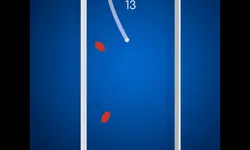


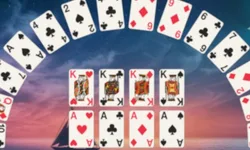

This guide is for exactly that use case: one-handed play on short breaks. If your context is a queue, commute, or quick reset between tasks, this is how to choose fast without tab-hopping. For broader browsing, keep Categories open, then compare Arcade Games and Puzzle Games based on your energy level.
What makes a game truly one-handed?
- Single primary input: tap, hold, drag, or simple swipes.
- Readable UI on mobile: no tiny buttons in opposite corners.
- Fast round structure: easy to start and stop in under 2 minutes.
- Low penalty interruptions: if your bus arrives, you can exit cleanly.
- Clear first 10 seconds: you should understand the objective immediately.
Match the game to the situation, not the genre
A queue, a train ride, and a coffee break all look similar on paper, but they create different play conditions. In a moving commute, you need games with forgiving inputs and low screen precision. In a queue, you need something you can stop instantly. On a coffee break, you can afford one or two extra rounds, so a puzzle with clearer progression often feels better than a pure reflex game. That is why one-handed play is less about category labels and more about how cleanly the game fits your real interruption pattern.
If you often leave games half-finished, default to picks with fast restarts and low penalty exits. If you usually play while standing, avoid anything that needs constant screen repositioning. Small details like that matter more than whether a game is technically arcade or puzzle, because they decide whether the session feels smooth or awkward in the first minute.
Quick picks by situation
- If you only have 3 minutes: play Emoji Sort.
- If you want reflex energy: choose Jumpycat.
- If you want low-stress focus: open Get 13 Puzzle.
- If attention is fragmented: pick Click Energy.
10 one-handed browser games worth opening now
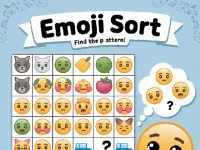
1) Emoji Sort
Why it works one-handed: drag-and-place interactions are simple and forgiving.
When to play: waiting lines, elevator gaps, 3-8 minute windows.
Experience: light mental reset without pressure spikes.
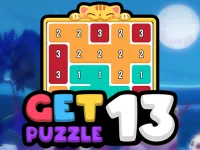
2) Get 13 Puzzle
Why it works one-handed: controlled tap flow with clear decisions per move.
When to play: calm breaks when you want thinking over speed.
Experience: focused and tidy, good for attention recovery.
3) Arrow Away Puzzle
Why it works one-handed: movement logic stays readable even on smaller screens.
When to play: 5-12 minutes with moderate focus.
Experience: satisfying progress through short puzzle units.
4) Jumpycat
Why it works one-handed: tap timing is immediate and restart loops are fast.
When to play: you need quick energy and instant engagement.
Experience: short adrenaline bursts with clean stop points.
5) Downhill Ball
Why it works one-handed: simple directional control with fast feedback.
When to play: commute moments where you want momentum, not menus.
Experience: concentrated, rhythmic, and replay-friendly.
6) Shape Walls
Why it works one-handed: minimal mechanic, quick pattern recognition, low thumb travel.
When to play: micro-breaks between notifications or messages.
Experience: low-friction play that still feels interactive.
7) Click Energy
Why it works one-handed: short input bursts, no heavy session commitment.
When to play: fragmented attention and repeated short check-ins.
Experience: quick progress with almost no setup cost.
8) Kitten Connections
Why it works one-handed: connection gestures are simple and easy to correct.
When to play: low-energy breaks after work or classes.
Experience: cozy and calm, with gentle pace.
9) Crescent Solitaire
Why it works one-handed: deliberate taps and no reflex overload.
When to play: you want slower, thoughtful play in a quiet moment.
Experience: structured and decompressive.
10) Tap Tap Racing
Why it works one-handed: quick tap response and compact run cycles.
When to play: 2-6 minute sessions when you need a mood lift.
Experience: fast pace, clear challenge, instant retry flow.
How to choose in 10 seconds (no overthinking)
- Check your available time: under 5 minutes or over 5 minutes.
- Check your energy: tired or alert.
- If tired: start with puzzle (Emoji Sort, Get 13 Puzzle).
- If alert: start with arcade (Jumpycat, Tap Tap Racing).
- If interrupted often: prefer Click Energy or Shape Walls.
Final recommendation
If you are choosing one default for one-handed mobile sessions, start with Emoji Sort for low-stress clarity, then keep Jumpycat as your fast-action backup. That pair covers most real-life short breaks: calm focus when tired, quick energy when you need a lift.
For next sessions, keep Scoopory Blog and Categories nearby. The best one-handed game is the one that matches your current context, not the one with the longest feature list.