












How to Pick the Right Browser Game for Kids Teens and Adults
Age fit in browser games is mostly about control load and cognitive pacing, not labels. Browser games are quick to open, but that speed helps only if your selection method is disciplined. The strongest sessions usually come from short, explicit filters rather than spontaneous clicking. When you choose based on session length, input comfort, and pressure tolerance, your first game is more likely to hold attention and your second game is more likely to improve on the first.
This guide is for families, younger players, teens, and adults choosing appropriate challenge without wasting time. The goal is not to overanalyze every page. The goal is to remove weak options early and keep only the games that give clear feedback, reliable controls, and useful replay value in the time window you actually have.



Use a practical evaluation order
The right game for kids, teens, and adults depends on instruction clarity, error tolerance, and motor precision requirements. Treat this as a sequence, not a checklist you run once at the end. Run one attempt, note the highest-risk weakness, then run a second attempt to confirm whether the issue is design or just adaptation time.
- Instruction Simplicity: Younger players need immediate, visible rules.
- Penalty Severity: Harsh failure loops can discourage beginners.
- Input Complexity: Control layers should match player confidence.
- Cognitive Density: Puzzle depth should align with patience and focus.
- Session Goal: Pick games that match available time and mood.
Game examples you can open right now
Use concrete examples instead of abstract theory. These links give you a fast comparison set so you can test the same criteria across different loop styles in minutes, not hours.
- Sprunki Easter Coloring: good low-pressure option for younger users.
- Basketball School: familiar mechanics for broad age groups.
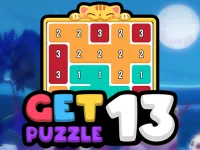
- Get 13 Puzzle: clean logic challenge for mixed skill levels.
- Capybara Go!: easy-entry loop for quick confidence.
- Highway Racer 3D: better for older players who want speed pressure.
Where category navigation improves the result
After one or two runs, jump from individual games back to category level. The most useful hubs for this topic are Girls Games, Sports Games, Puzzle Games, Arcade Games, and Racing Games. You can open the full categories index to pivot faster by mood, then use blog guides to confirm decisions around difficulty, controls, and session pacing.
A simple routing pattern works well: category choice first, two fast game tests second, then one short guide review for tie-breaks. That pattern reduces random churn, especially for beginners and casual players who do not want to spend the whole break searching.
Common mistakes that waste short sessions
- Choosing by genre label without testing control load.
- Assuming bright visuals always mean easier gameplay.
- Ignoring frustration signals in first two runs.
- Giving one player profile to everyone in the group.
Quick pre-play checklist
- Rules are instantly understandable.
- Controls match player ability.
- Failure does not feel punishing.
- Session length fits attention span.
- There is one fallback category ready.
If a game misses two checklist items in the first two runs, switch immediately and keep momentum. Better results on Scoopory come from fast replacement, intentional category pivots, and steady use of internal links. You do not need perfect information before playing; you need a consistent method that protects your limited time and makes each next click more accurate than the previous one.